

Build it. Deploy it. See exactly how they reasoned.
Create authentic encounters where learner decisions shape what happens next. Meandrix captures applied decision making, not just the final answer.
Studio is where you build.
Choose the assessment format that fits the task: Encounter, Consult, or Quiz. Use the built-in AI assistance to accelerate authoring, or take full control in manual mode.
Studio guides you from structure to content to preview. Define the questions, pathways, and learner choices, then build the assessment around the moments that matter.
Preview lets you test both sides of the assessment: what the learner sees, and the logic that sits behind it. You can trace where each choice leads, and whether it reflects improvement, maintenance, or deterioration. In Consult, critical errors are flagged with the rationale you wrote.
Publish it to your library. The assessment is ready to deploy.
<iframe src="meandrix.com/embed/n4xq-mp7k" />Configured for the way you teach.
Meet your learners where they already are. Embed your assessment into Canvas, Moodle, or Blackboard. Share a direct link with a class. Email it to a cohort.
Set the window, the attempts, the time limit. Choose when feedback appears and what your learners see at the end.
Enable Sentinel when the assessment requires additional integrity assurance. Learn how Sentinel works
Not just whether they passed. How they got there.
Insights starts with the cohort view: completion, score distribution, time, and pathway patterns.
Open any learner record to follow the encounter from start to finish. See the choices they made, the feedback they received, and the prompts you can use for a viva, review, or follow-up. Export the report as a PDF.
Engagement shows whether learners are practising, retrying, improving, and using the freedom to fail safely.
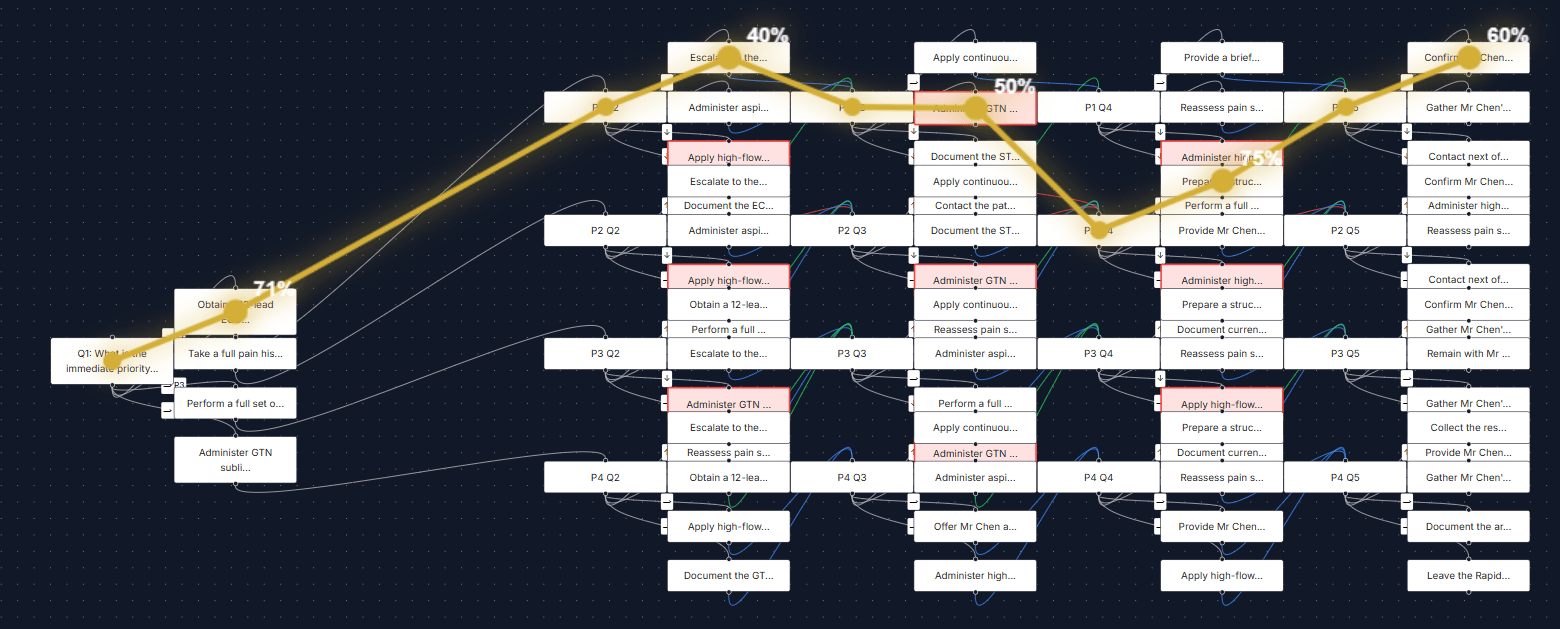
Pathways shows how learners navigated the encounter. Explore the routes they took, where they recovered, where they deteriorated, and where reasoning may have broken down.
Built by an Educator. For Educators.
Meandrix does not ship generic scenarios and ask educators to adapt around them. We start with your discipline, your context, and your standards.
AI helps accelerate the build, but the judgement stays with you. You decide what matters, how the situation changes, which choices are defensible, and what reasoning your learners need to demonstrate.
Want to build an Encounter or Consult?
Bring a situation from your discipline. In thirty minutes, we'll turn it into a working draft and map the choices, pathways, and feedback that matter.